How to Run an Unreal Engine App Without a GPU
Pixel Streaming Guide Meta description: Learn how to run an Unreal Engine app without a GPU. Step-by-step pixel streaming setup on Eagle 3D Streaming, plus pricing, load time and CCU tips.
 Eagle 3d Streaming
September 14, 2026
13 min read
Your client opens the build you sent. The installer runs for four minutes. Then the window goes black and a driver error appears. You have probably had that call. The project works fine, but their laptop does not. Unreal Engine renders at a quality that needs a strong graphics card, and the people who approve your work rarely own one. They sit on office laptops, tablets, and machines that IT bought three years ago. Scene optimisation will not close that gap, because the hardware requirement sits in the wrong place. Pixel streaming moves it. This guide covers why the GPU requirement hurts, how pixel streaming solves it, and how to get a packaged Unreal app live on Eagle 3D Streaming. You get the actual clicks, from the Plugins menu to a shareable URL.
Why the GPU requirement blocks Unreal Engine projects
Unreal Engine exists for high fidelity visuals. That is why you chose it. But fidelity carries a hardware bill, and your client almost never pays it.
Your audience does not own the hardware
A developer, an architect, a project lead, and a planning committee do not use the same graphics card. Most of them use none worth naming. Jan Maarten Heuff of Spaceform said it plainly: cloud streaming lets his clients walk through future spaces without gaming PCs or RTX cards. Sharing a URL opens the door. His team once had 25 people inside the same virtual space at the same time.
Installers cost you approvals
Every executable you send asks a lot. Download two gigabytes, get past IT, accept a security warning, then run the file. Some people will do all that. Plenty will not, and the people who skip it are often the ones deciding. Epic Games frames the benefit well: no powerful computer, nothing to install, zero barrier to entry. That is why executable-free distribution matters. The executable itself creates the friction.
One build will not cover every device
Someone will open your link on an iPad during a meeting. Someone else uses a Mac. If your experience only runs on a Windows box with a discrete GPU, you have cut your audience down to a slice. So running on any device is not a bonus feature for visualization work. It usually decides whether your client sees the project or just hears about it.
The solution: Unreal Engine pixel streaming
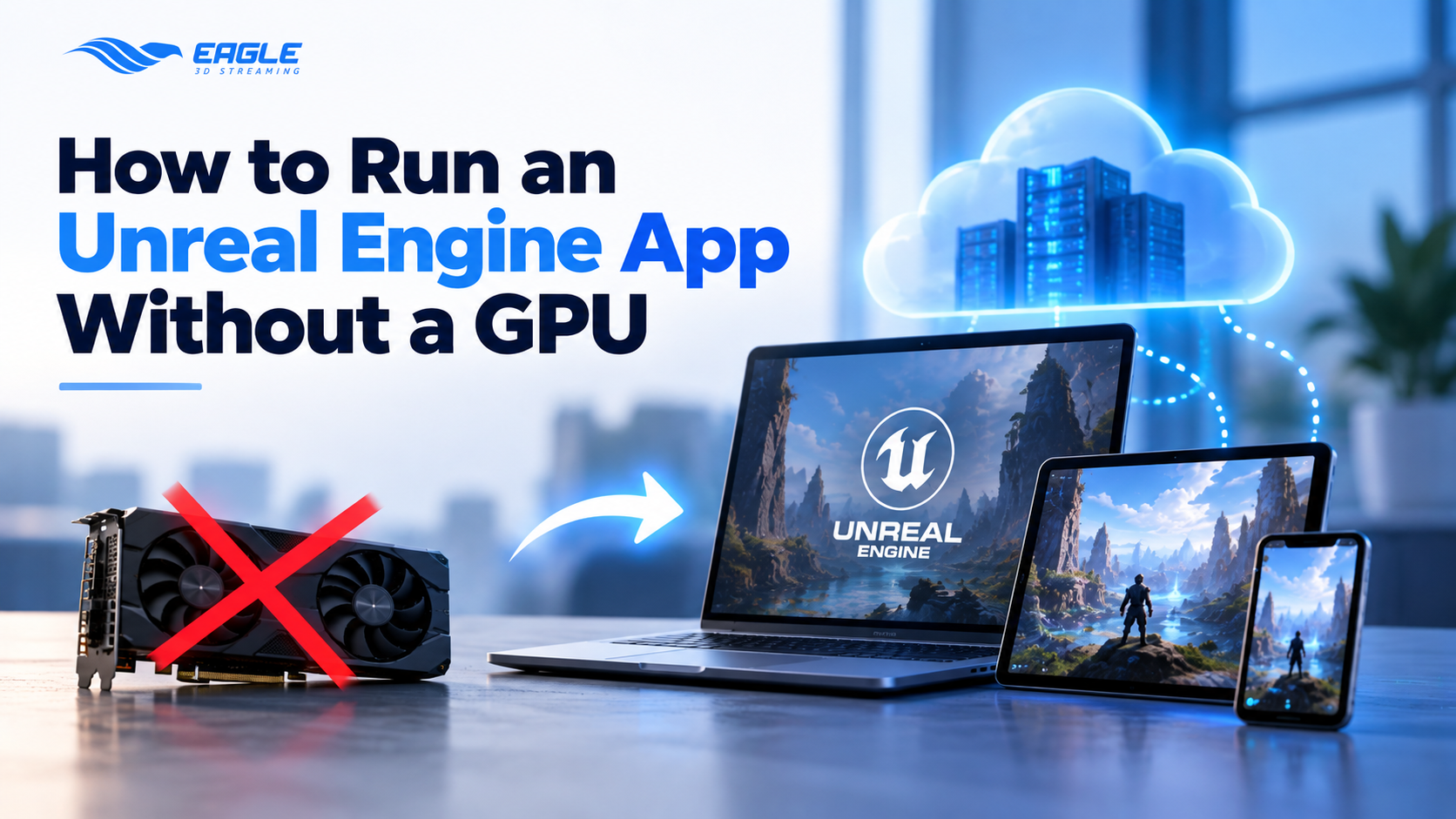
Pixel streaming flips where the work happens. Your Unreal application runs on a cloud GPU, and that machine renders every frame, encodes the output, and sends it to the viewer's browser over WebRTC. Their clicks, drags, and keystrokes travel back the other way in real time. The viewer's device only decodes video, and a Chromebook can decode video. Epic calls the result a zero latency interactive movie. That matches how it feels from the other side. You get a link, you click, the thing runs.
How pixel streaming helps your team
Three effects matter more than the rest.
Quality survives the trip. Eagle renders on its own cloud GPUs, not on the user's device, so full resolution and frame rate stay intact. Your client sees what you built, not a stripped down mobile version.
Interaction stays real. Camera movement, UI clicks, configurator toggles, and keyboard input all route back to the cloud app instantly. The streamed session behaves like the local build. Most people doubt this until they try it.
Distribution shrinks to a URL. No installer, no build variants, and nobody asking which version you sent. You update the app once and every link picks up the change. Want proof before you build anything? The docs host a live demo app, and the site has a set of pixel streaming demos.
How to pixel stream an Unreal Engine app: step by step
What follows is the route through the control panel. It works on any Unreal project and needs no extra tooling.
Before you start
You need Unreal Engine installed and a project to stream. Starting fresh? The docs walk through installing Unreal and creating a project. Set up Visual Studio alongside Unreal as well, otherwise packaging fails later and the error message will not tell you why. Check the hardware and software specifications if your setup is unclear.
Step 1. Create your Eagle 3D Streaming account
Sign up on the control panel. The docs cover it in Create an Account on Eagle 3D Streaming Platform. Prefer to test the pipeline first? Upload a pre-packaged sample app before touching your own project. It takes a few minutes and tells you whether the problem lives in your build or your process.
Step 2. Enable the Pixel Streaming plugin
Open Unreal Editor and go to Edit > Plugins. Search for "pixel streaming" and tick the Pixel Streaming plugin, then click Restart Now to apply it. Skip this step and your build will upload fine, then refuse to stream. It is the most common first-timer mistake. Full detail sits in Enabling the Pixel Streaming Plugin.
Step 3. Package the Unreal Engine project
Go to Platforms > Windows > Package Project and pick an empty folder for the output. Packaging starts, and Show Output Logs lets you follow it. When the log prints a Packaging Successful message, your build sits in that folder under a Windows subfolder. Did packaging fail? Visual Studio is usually the cause, not anything on Eagle's side. Reference: Packaging the Project.
Step 4. Prepare the ZIP file
Open the Windows folder and select every file and folder inside it. Then right click and choose Send to > Compressed (Zipped) folder. Zip the contents, not the parent folder, because that detail catches a lot of people on their first upload. One more check before you upload: confirm the plugin is actually live in the packaged build. The docs include a Pixel Streaming status check for exactly that. Reference: Prepare the ZIP File for Uploading.
Step 5. Upload the app to the control panel
Log in, click Add Application, then browse and pick your ZIP. The control panel accepts .zip only, and it throws an Invalid File Type alert for anything else. Name the app and hit UPLOAD. Watch one rule here: on the Pay Per License plan, your app name must match the name of the .exe in the root of the ZIP. You can add a thumbnail too, and Send Updates On Email will ping you once the build is ready. Every upload moves through six phases before it goes live. If it stalls, Phases in the Upload Sequence names the stage that failed and explains it.
Step 6. Create a stream link and play the app
Your app appears in the control panel once processing finishes. Click it, then click Create New Stream Link, then Play App. Eagle allocates a machine, which takes a moment. Press Play and the app streams. That covers the whole loop. Screenshots and full detail live in Upload and Stream Your App From Control Panel. If the stream queues or the play button never shows, check Phases After Accessing the Streaming URL.
Step 7. Share or embed the stream
The stream link works on its own, so send it and you are done. Rather host the experience inside your own site? Use the embed path: iframe, React, Angular, or direct URL. White labelling puts your branding on top of it, and testing on a phone works too. See stream from a mobile browser.
Sending a packaged build vs pixel streaming it
You now have the same Unreal app available two ways. Here is what each one asks of the person on the other end.
| Packaged build you send | Pixel streamed app | |
|---|---|---|
| GPU on the viewer's machine | Discrete card required | None. The browser decodes video |
| Install | Download, unzip, run an executable | None. Open a URL |
| IT approval | Often needed | Rarely |
| Devices covered | Windows desktops with a GPU | Any browser, including Mac, tablet, phone |
| What you send | A multi-gigabyte file | One link |
| Updating the app | Resend the build to everyone | Upload once. The link stays the same |
| Visual quality on weak hardware | Drops or fails | Full resolution, rendered in the cloud |
| First launch | Install time, then load time | Load time only |
| Who pays for the hardware | Your client | Nobody buys anything |
| One row deserves a note. The streamed version still has a wait before the first frame, because your app boots on a cloud machine first. That wait is much shorter than an install, but it is real. The next section covers it. |
Common problems on a first pixel streaming deployment
Load time. Your app has to boot on a cloud machine before anyone sees a frame. Bigger builds mean longer waits, and browser users lose patience faster than desktop users. Load time in Eagle 3D Streaming breaks down what happens during that window.
CCU planning. Concurrent users are what you actually buy. Twenty people opening a link at once costs very differently from twenty people opening it across a week. Read Understanding CCU before any launch.
Corporate firewalls. Enterprise networks block the ports WebRTC needs more often than you would expect. When one client reports a black screen and nobody else can reproduce it, start with the firewall guidelines.
Packaging mistakes. Most broken streams trace back to the build, not the platform. We listed the recurring ones in 5 UE5 packaging mistakes that break your pixel stream. For frame rate trouble rather than launch trouble, see the performance optimization guide.
Why teams choose Eagle 3D Streaming as their pixel streaming platform
Eagle 3D Streaming is the oldest pixel streaming platform in the market, and the leading one. We were doing this before pixel streaming had a category around it. In practice that means the edge case your project is about to hit has already hit someone else on our infrastructure, and we fixed it. A launch date proves little on its own, though. Teams stay because Eagle is the most flexible platform available, and flexibility shows up in the places that only matter after the demo.
Flexible infrastructure
Most platforms hand you their cloud and end the conversation there. Eagle lets you pick the provider and the region instead. You can also bring your own hardware and stream from machines you already own. Enterprise customers go further and customise the deployment end to end, including storage and infrastructure integrations.
Flexible experiences
One platform covers multiplayer with dedicated servers, VR pixel streaming, collaborative meeting sessions, and Linux builds alongside Windows. Same control panel for all of it.
Flexible deployment
Push one-click updates from Unreal Editor with the Automation Tool, or wire the whole thing into your build pipeline through CI/CD. Front-end teams often skip the control panel entirely and build on the WebSDK. Mahdi Hosseinkhani, founder of Ario Arteh, uses it for architectural work. His clients explore high-end tours directly in a browser, with no gaming PC and no install, which changed how his studio runs design presentations.
Pricing
The same flexibility applies to cost. Start free, move to Core once you ship regularly, and go Enterprise when the requirements get specific.
| Free | Core | Enterprise | |
|---|---|---|---|
| Price | $0 | $29/month | Custom |
| Streaming minutes | 60 lifetime | 300/month | $0.10/minute |
| Extra minutes | Not available | $0.10/minute | $0.10/minute |
| Concurrent streams | 1 | 10 | Up to 1,000 |
| Storage | 5 GB | 10 GB, up to 250 GB | Up to 1 TB |
| Load time | 25 seconds | 25 seconds | Up to 10 seconds |
| Regions | US and EU | US and EU | Global |
| Max resolution | 1080p | 1080p | 4K |
| Eagle watermark | Yes | Removed | Removed |
| Project versioning | No | Yes | Yes |
| Support | Ticket | Priority ticket | Custom |
| SSO, self-hosting, dedicated environment, VM scaling | No | No | Yes |
| The free tier needs no credit card. Annual billing adds two free months, and extra storage runs $10 per 10 GB. See the full breakdown and a usage calculator on the pricing page. |
What changes when the GPU requirement goes away
The GPU never really disappears. It just moves to a machine you do not buy, maintain, or ship to anyone, and your client gets a link instead. For many teams that shifts what is worth building at all. Once showing a high fidelity Unreal experience costs one click, the work opens up: product configurators, digital twins, property walkthroughs, and live design reviews. You stop scheduling a session and start dropping a URL in the chat. Visualization studios usually notice this about a week after their first streamed client review. The setup above takes an afternoon, and most of that is packaging.
FAQ
Do viewers need a GPU to open a streamed Unreal Engine app? No. Your app runs on a cloud GPU and the viewer's browser only decodes video. A basic laptop, a Chromebook, or a tablet all work.
Does anyone have to download or install something? No. You share a URL and the app opens in the browser. Nothing installs on the viewer's machine.
Which Unreal Engine versions does Eagle 3D Streaming support? Eagle supports Unreal Engine pixel streaming projects, including Unreal Engine 5.5.
Will the quality drop compared to the local build? No. Eagle renders at full resolution and frame rate on cloud GPUs. Free and Core plans stream up to 1080p, and Enterprise goes up to 4K.
How long before the stream actually starts? Your app boots on a cloud machine first. Free and Core plans take around 25 seconds. Enterprise cuts that to about 10. See Load time in Eagle 3D Streaming.
Does it work on Mac, iPad, or a phone? Yes. Any modern browser works. The docs cover streaming from a mobile browser.
Do I have to enable the Pixel Streaming plugin? Yes. Without it your build uploads but will not stream. See Enabling the Pixel Streaming Plugin.
Can I put the stream inside my own website? Yes. Use an iframe, React, Angular, or a direct URL. See Embed Stream into Webpage, and white label it to remove Eagle branding.
What is the difference between concurrent streams and total viewers? Concurrent streams count how many people watch at the same moment. Total viewers count everyone over time. Your plan depends on the first number. See Understanding CCU.
Can I test it for free? Yes. The free plan includes 60 lifetime streaming minutes and one concurrent stream, with no credit card.
Start streaming your Unreal Engine app
Create a free account and upload your first build. No credit card needed, and the sample app lets you test the pipeline in minutes.
Start pixel streaming for free Working on something trickier, like multiplayer, VR, an enterprise rollout, or a build that will not package? Book a 20-minute call and we will get you streaming, or ask the Discord community, which usually answers faster. More reading: full documentation, FAQ, glossary.
Share this article