Pixel Streaming Datacenter Routing: How E3DS Picks a Region for Every Session
Pixel streaming datacenter routing picks a region for every E3DS session. See which regions Trial, Core, and Enterprise get, and how to choose your own.
 MD Rafshan Tashin Eshan
October 9, 2026
6 min read
Pixel streaming datacenter routing decides where your app runs for each viewer, and on Eagle 3D Streaming (E3DS) the platform makes that call for you. Your users never pick a region from a menu. Instead, you control two things: your plan, and the region setting on your app config.
This guide covers how the routing works, which regions each plan includes, and how to pick a streaming server location that fits your audience. Every detail comes from the E3DS documentation, and each section links to its source page.
How Pixel Streaming Datacenter Routing Works
E3DS never asks the viewer where to stream from. For each session, the system weighs five inputs (Datacenter Routing):
- The user's location
- The distance to available datacenters
- Available streaming capacity
- Streamer machine availability
- Your subscription plan
That last input separates Trial and Core from Enterprise. The next sections show what changes.
Pixel Streaming Regions Available on Each Plan
Your plan sets the regions you can stream from. Here is how the three tiers compare (Datacenter Routing):
| Plan | Regions available | If the nearest region is unavailable |
|---|---|---|
| Trial and Core | USA and Europe | The user goes to the next closest available region |
| Enterprise | Any supported cloud region worldwide | No automatic failover unless the deployment supports multiple regions |
Trial and Core give you two regions. Enterprise lets you host the app closer to wherever your users sit. If you are still choosing, the E3DS pricing page lists what each plan includes.
Trial and Core Plan Regions: Where Your Users Land
On Trial and Core, the system sends each user to the closer of the two regions. The documentation gives these examples (Datacenter Routing):
| User location | Routes to |
|---|---|
| Europe | Europe |
| Africa | Europe |
| Asia | Europe |
| USA | USA |
| South America | USA |
So a visitor in Africa or Asia streams from Europe by default, while a visitor in South America streams from the USA. If the closest region runs out of capacity, the user goes to the next closest region that has some.
To see how your plan's concurrent user limit works, read the Understanding CCU page.
Enterprise Cloud Regions and Failover
Enterprise exists to put your app near your audience. Users connect to a nearby deployment region, and the docs name Germany, the USA, India, Australia, Brazil, and the Middle East as examples (Datacenter Routing).
Two details deserve planning time:
- Enterprise deployments run on dedicated infrastructure.
- They do not fail over to another region on their own. Failover works only if the deployment supports multiple regions.
On the hardware side, the docs state that the primary streaming servers sit in the United States and Europe, and that the platform also supports GCP, Azure, and AWS (Hardware and Software Specifications). For more on cloud choice, see the E3DS pages on cloud selection and scalable cloud infrastructure.
How to Choose a Streaming Server Location
The documentation gives three practical rules (Datacenter Routing):
- Choose a deployment region close to your main audience.
- Estimate where your users will connect before you pick a plan.
- Contact the E3DS team if your audience sits mostly in one area, because Enterprise deployments can be customized.
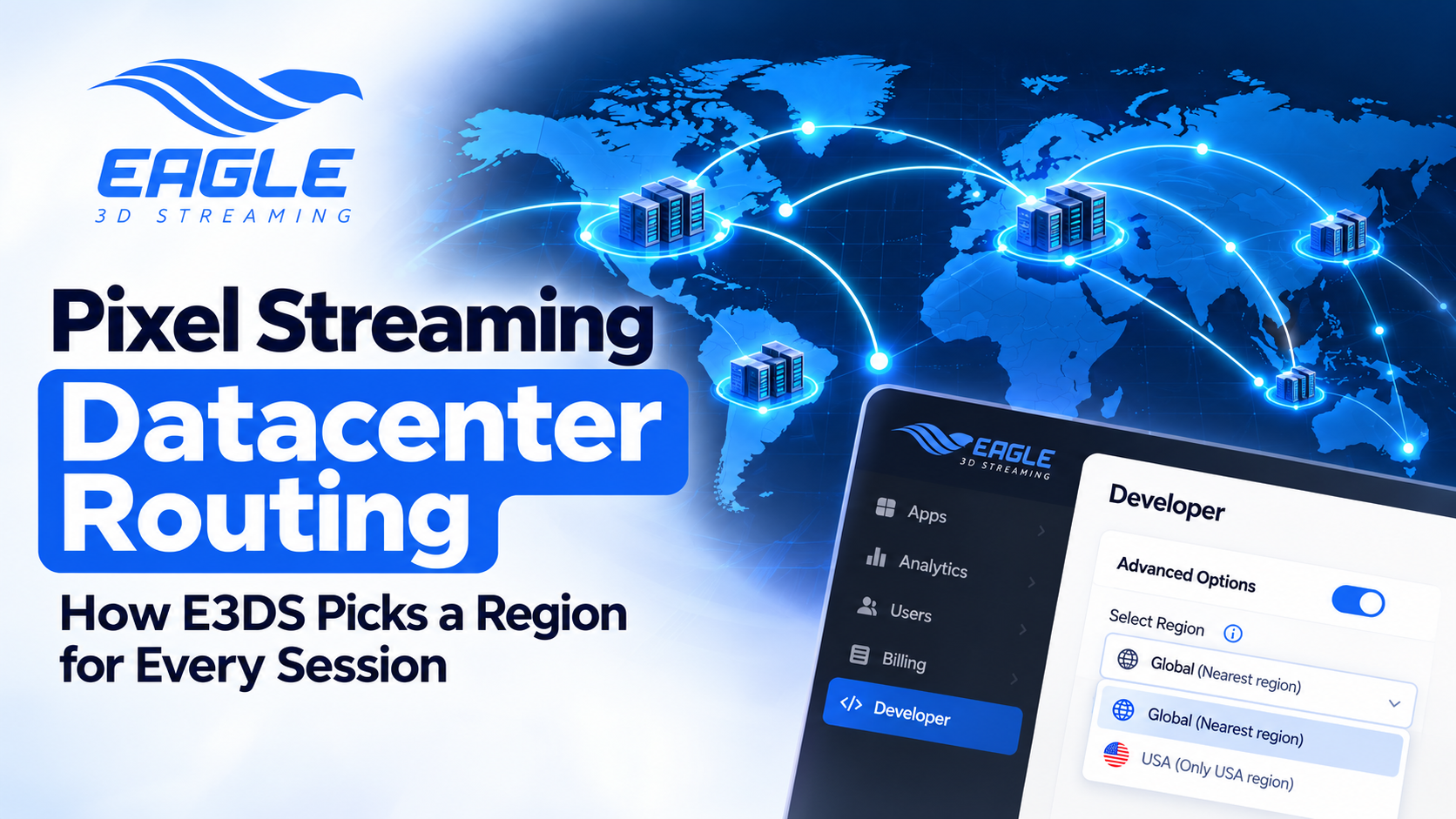
You can also set a preferred region on the app config, within your plan's limits. The Select Region page lists two options (Select Region):
- Global (default): every config starts here. Users connect to the nearest available streaming machine, which usually gives the best performance and lowest latency.
- USA: users connect only to USA-based streaming machines. If all of them are busy, users wait in a queue until one frees up.
To change the setting, select your config, enable Advanced Options, open the Developer tab, choose Global or USA, then save. After you click Play, the Info button shows which region the session reached.
The page sums up the trade-off in one line: region choice affects latency, availability, and queue time. So if you limit a stream to one region, expect longer waits once that region fills up. For a wider look at speed, the pixel streaming performance optimization guide covers what else to tune, and the load time and CCU FAQ answers common startup questions.
Conclusion: Match Pixel Streaming Datacenter Routing to Your Audience
Pixel streaming datacenter routing on E3DS comes down to your plan. Trial and Core send users to the closer of USA or Europe, with the next closest region as backup. Enterprise lets you deploy in any supported cloud region, though it will not fail over unless you set up more than one.
Before you commit, map where your viewers actually are. Then match that map to a plan and a region setting. If most of your audience sits in one area, raise that with the team, because Enterprise deployments can be built around it.
Want to see how routing behaves with your own app? Create a free E3DS account and test a stream, or compare the plans on the pricing page. For region questions specific to your audience, reach the team through any channel below.
Need help?
If you need any assistance, feel free to reach out through any of the following channels:
🛠️ Support Portal: Contact Our Support Team
💬 Discord Community (Faster Support): Join Our Discord Community
📧 Email Support: support@eagle3dstreaming.com
Follow us on:
Facebook | GitHub | LinkedIn | YouTube
Pixel Streaming Datacenter Routing FAQ
Can my users choose which region they stream from?
No. The system picks the datacenter from the user's location, the distance to available datacenters, capacity, streamer machine availability, and your plan (Datacenter Routing).
Which regions do Trial and Core plans include?
USA and Europe. Europe, Africa, and Asia route to Europe, while the USA and South America route to the USA (Datacenter Routing).
What happens if the nearest region has no capacity?
On Trial and Core, the user goes to the next closest available region (Datacenter Routing).
Does Enterprise fail over to another region automatically?
Not by default. Enterprise deployments use dedicated infrastructure, and they fail over only when the deployment supports multiple regions (Datacenter Routing).
What does the Global region setting do?
Global is the default for every config. Users connect to the nearest available streaming machine, which usually gives the best performance and lowest latency (Select Region).
How do I check which region my session used?
Click Play to launch the app, then click the Info button to see the connected region (Select Region).
Share this article