How to get Unreal Engine crash logs automatically on Eagle 3D Streaming
Get UE crash logs from a pixel stream automatically. Enable Auto Download UE Crash Log on Eagle 3D Streaming, plus console and email log fallbacks.
 Eagle 3d Streaming
September 24, 2026
7 min read
Your app crashes during a pixel streaming session. The viewer sees a frozen frame or a disconnect message, and you have nothing to debug with. The log file UE wrote went to a cloud machine you can't reach.
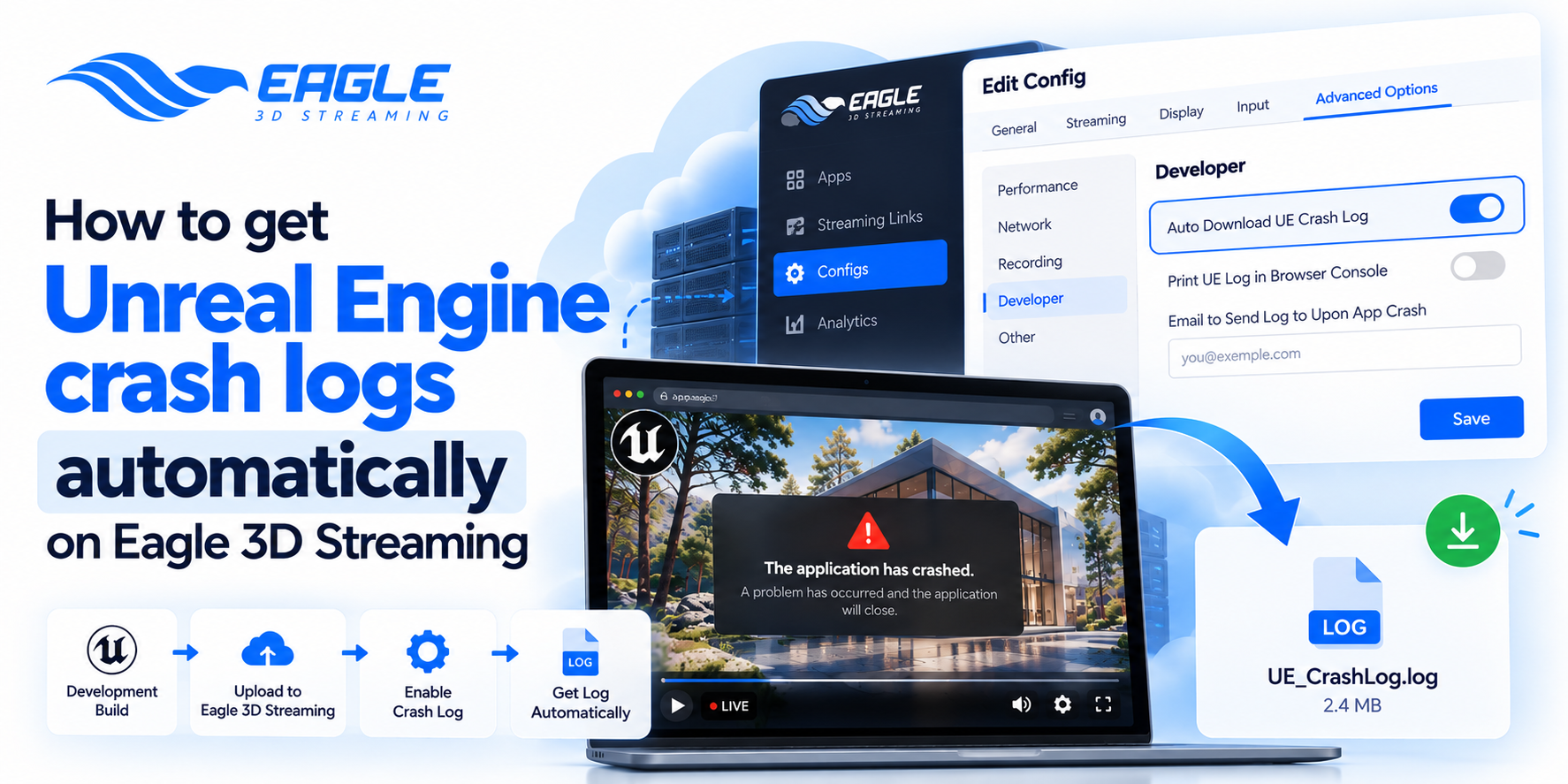
Eagle 3D Streaming can send that log back to you. The feature is called Auto Download UE Crash Log. Switch it on and the log file downloads to your device the moment the app crashes. Setup is quick, but it only works if your build is packaged the right way.
Before you start: package a Development or Debug build
This step decides whether you get a log at all. You need to package your project as "Development" or "Debug" to generate logs on your device and for the system to capture them.
A Shipping build strips most logging, so a crash in Shipping usually leaves you with very little. If you normally ship Shipping builds, package a separate Development build to reproduce the crash. Once it's fixed, go back to Shipping.
In the Unreal Editor, go to File > Package Project > Build Configuration > Development/Debug. If you've never packaged for pixel streaming, read 5 UE5 project packaging mistakes that break your pixel stream first.
Step 1: upload the build and set up a link and config
Upload the Development build to the Eagle 3D Streaming Control Panel, then generate a streaming link for it. Every link has a config, and the crash log setting lives in the config. You can create a new config to generate logs or select an old config you created earlier.
It's worth making a separate "debug" config. Your client-facing link stays untouched, and test sessions point at the debug one. If you already have a Dev or Debug build uploaded with a link and config, skip to Step 2.
Step 2: enable Auto Download UE Crash Log in Eagle 3D Streaming
The toggle sits with the rest of Eagle 3D Streaming's developer options. In the Control Panel, go to {Your App} > {Your Streaming Link} > {Your Config} > Edit Config > Advanced Options > Developer > Auto Download UE Crash Log. Toggle it on and click Save.
That's it. The next time the app crashes, the log downloads on its own. No support ticket needed.
Step 3: reproduce the crash
Open the streaming link with the config you just edited and do whatever triggers the crash. When UE goes down, the log lands in your browser's downloads.
Open it and scroll to the bottom. The last error lines before the shutdown are usually where the answer is. If they mention WebRTC or missing modules, see missing WebRTC dependencies in UE5 pixel streaming. If the app dies right at launch, check your startup scripts and command-line arguments.
No log downloaded? Your app probably froze
Sometimes the stream dies and nothing downloads. The feature probably worked fine. If no log arrives, UE never registered a crash. Your app might have frozen or hung, and Eagle 3D Streaming's system can't detect those situations.
To the viewer, a hang and a crash look identical. To the engine they're different events. When UE crashes, it catches the fault and writes a report before exiting. When it hangs, the process is still running, just stuck, so there's nothing to trigger the download.
For hangs, use the browser console instead. And if the stream stutters before it freezes, the problem may be load, not a bug. The pixel streaming performance optimization guide is the place to start.
Fallback: print the UE log in the browser console
Eagle 3D Streaming has a second Developer option, Print UE Log in Browser Console. It's in the same Developer section as the crash log toggle. Enable it in your config and save, then follow these steps:
- Run the app with the same config. Go to New Control Panel > Your App > Streaming Link > Play App.
- Open DevTools. Press Ctrl+Shift+I or F12, go to Console, and enable "Preserve Log". Don't skip Preserve Log. Without it the console can wipe itself on reload and take the error with it.
- Reproduce the problem. Whenever your app crashes, the same error your app shows appears in the log.
- Right-click the error in the log to save it to your device.
The log streams in live, so you can see what UE was doing right before it froze. With a hang, this is often the only record you'll get.
Option three: get Eagle 3D Streaming to email your logs
A download on a tester's or client's machine doesn't help you much. For that, the Developer section has Email to Send Log to Upon App Crash, which sends the log to an address you pick. Setup steps are in the email crash log guide.
Which option to use
Testing yourself? Turn on auto download and console logging together, so a hang doesn't leave you empty-handed. If someone else is running the sessions, add the email option.
If your session is dropping without any crash at all, the cause may be on the streaming side, not in UE. Why your Eagle 3D Streaming session stopped mid-stream covers those cases. For builds that run in the editor and crash only after packaging, see Your UE5 game runs fine in PIE, then dies the moment you package it. The full reference is in the Auto Download UE Crash Log documentation.
Conclusion
A crash on a cloud GPU doesn't have to be a dead end. Package a Development or Debug build, switch on Auto Download UE Crash Log, and the log comes to you. It's one toggle in your config, and it replaces a lot of guessing.
When the log never arrives, don't assume the feature broke. Your app most likely hung, and the browser console will show you where. Keep both options on while you debug, then switch them off when the build is stable.
Not on Eagle 3D Streaming yet? Start your free 7-day trial with 1 CCU, upload a Development build, and turn on crash logging in your first config. If you're planning a larger rollout, book a demo and the team will walk you through the developer options. Stuck on a specific crash? Contact support or ask in the Discord community.
FAQs
Why didn't my crash log download?
UE probably never registered a crash. A frozen or hung app keeps running, so there's no crash event for Eagle 3D Streaming to catch. Turn on Print UE Log in Browser Console and check the console instead.
Does Auto Download UE Crash Log work with Shipping builds?
You need a Development or Debug build. Those are the builds that generate logs Eagle 3D Streaming can capture. Package a Development build to reproduce the crash, then go back to Shipping once it's fixed.
Where is the crash log setting in the Eagle 3D Streaming Control Panel?
It's in your streaming link's config. Go to Edit Config, open Advanced Options, then Developer. Toggle on Auto Download UE Crash Log and click Save.
Can I get crash logs when a client or tester is running the session?
Yes, with Email to Send Log to Upon App Crash. It's in the same Developer section and sends the log to an address you choose. That way you get the file even when you weren't in the session.
How do I save a log from the browser console?
Open DevTools with F12 or Ctrl+Shift+I and enable Preserve Log in the Console tab. When the error shows up, right-click it to save it to your device. Preserve Log has to be on before the crash, or you may lose the lines you need.
Which Unreal Engine versions does Eagle 3D Streaming support?
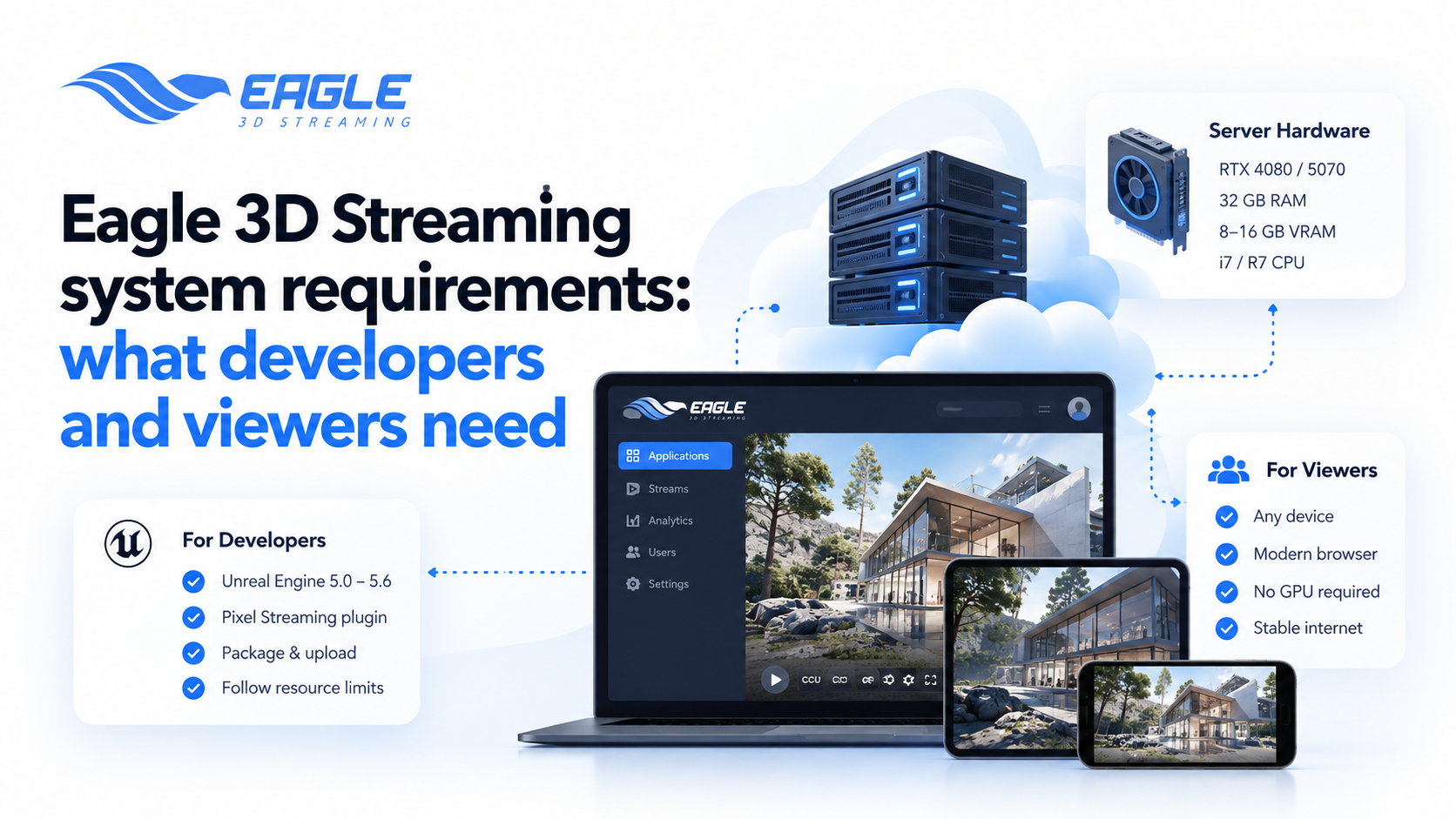
Eagle 3D Streaming supports UE 5.0 through UE 5.6. Your project needs the Pixel Streaming plugin enabled before you package it. Check the FAQ for current version support.
Share this article